Please note these instructions are for Work Wallet accounts that aren't currently using SSO. If you have SSO integration enabled on your account you can manage your MFA settings directly through your identity Provider.
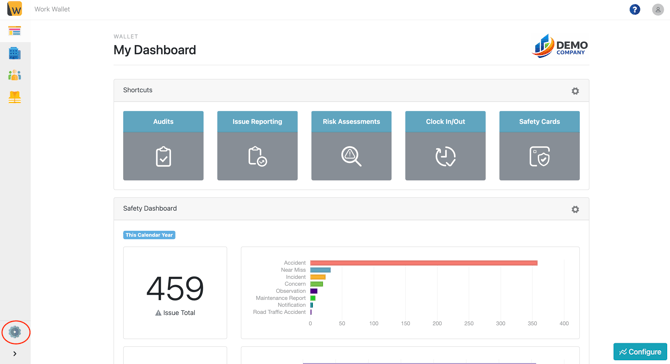
Multi-Factor Authentication (MFA) can be enabled directly within Work Wallet for all user accounts. To do this, navigate to Settings, located in the bottom-left corner of your screen.
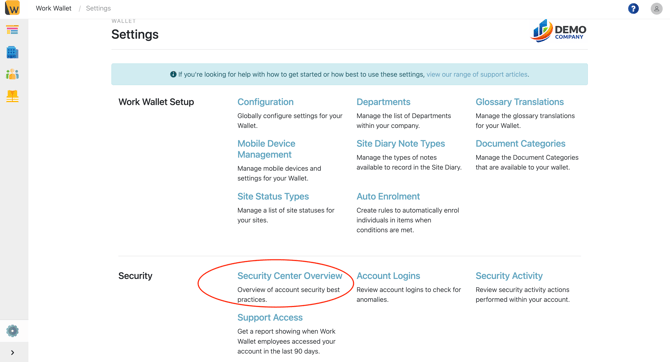
From Settings, open the Security Center Overview section, where you can access various security features and information for your Work Wallet account.
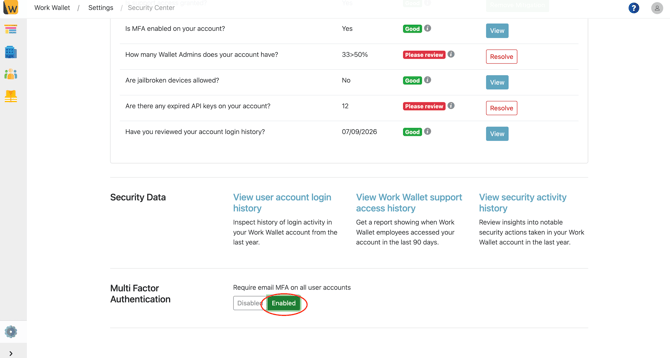
Once you are on the Security Center Overview page, scroll to the bottom of the screen, where you will find the option to enable or disable Multi-Factor Authentication (MFA).
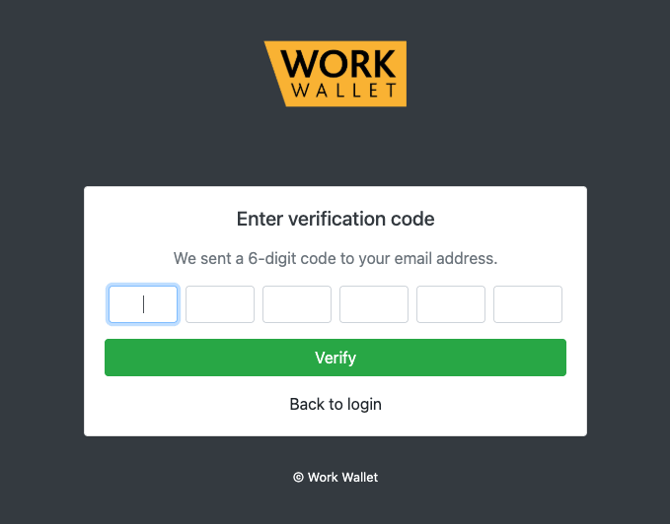
Once Multi-Factor Authentication (MFA) has been enabled, users will be required to enter a six-digit verification code when logging in. This verification remains valid for 30 days, after which a new code will be required. Please note if browser cookies are cleared, users will be asked to verify their identity again before the 30-day period expires.