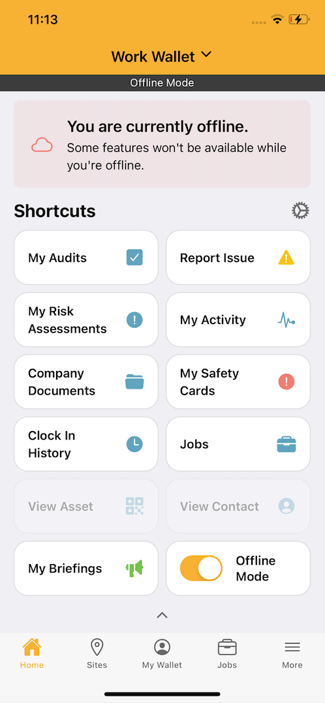
1. Go to Shortcuts
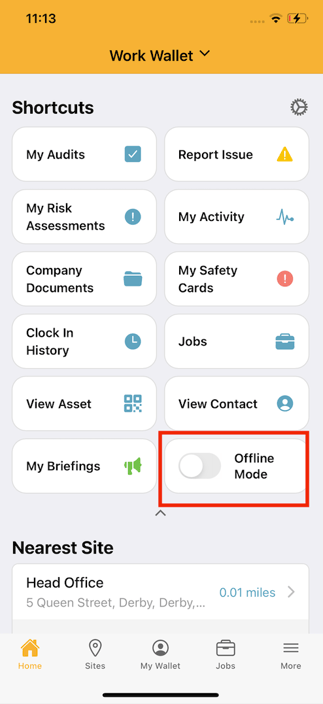
From the app’s home screen, navigate to your Shortcuts. Note: If you don’t see all the options, tap the arrow underneath Shortcuts to expand the menu.
2. Select Offline Mode
In the Shortcuts menu, choose Offline Mode.
3. Confirm You’re Offline
The Offline Mode icon will turn orange.
A message will appear at the top of the screen saying:
“You are currently offline.”
 .
.