
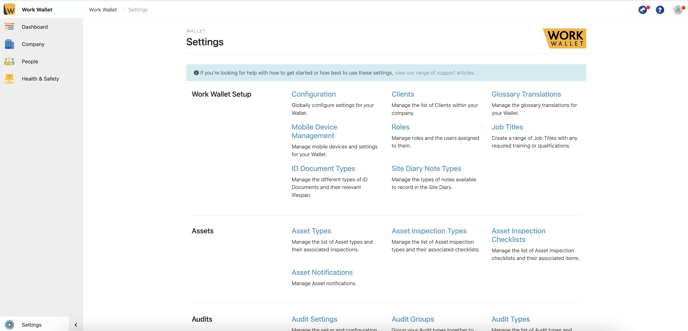
Start off in your wallet settings, selecting ID Document Types within the Work Wallet Setup category
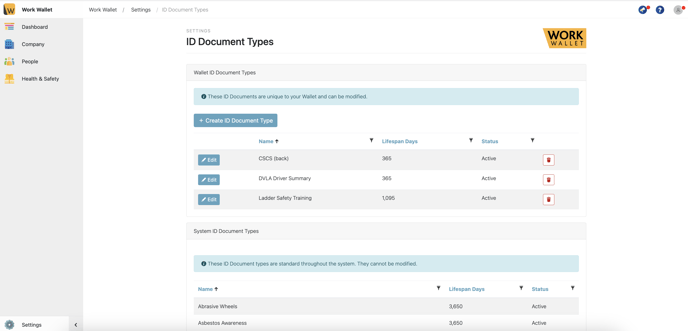
Then select Create ID Document Type
Then assign the name to the ID Document Type, assign the Lifespan of the ID Document and set the status as active or archived for which ever is applicable.
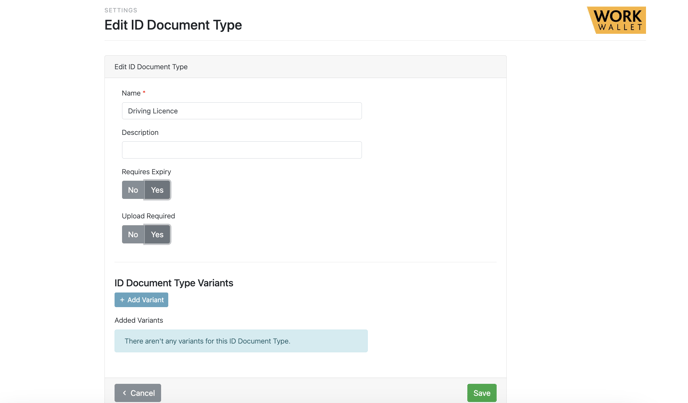
Here you can also mandate whether expiry or upload for evidence of this ID is mandatory. Once you've filled in the relevant fields ensure that you save and you're done.