
If a user or contact's email address has bounced or been reported as spam when a notification has been attempted to be delivered, their email address will be added to our block list, so that further emails are not sent to this address.
If this has happened, you will see an alert like below:
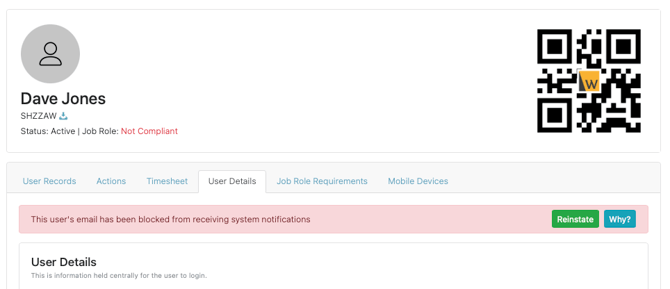
If an email address has bounced (for example, because their mailbox no longer exists), or if the user reports our notifications as spam, we will block future email notifications from being sent to this address to help ensure our wider sender reputation score remains high.
If you believe the root issue has been resolved (for example, if the mailbox has been recreated), you can use the 'Reinstate' button on the alert, to remove the address from our internal block list. This will remove the email address from the block list, however will not stop it from being re-listed, if the root cause of the bounce hasn't been resolved.